First-time customers
Where are people finding you?
Ask which channel introduced them to your store. Use their answers to investigate the gaps in your analytics.
Explore attributionPost-purchase surveys for Shopify
Ask a useful question after checkout. Then see what the answers suggest, check the evidence, and decide what to do next. All inside Shopify.
$10/month. Unlimited responses. Every feature.

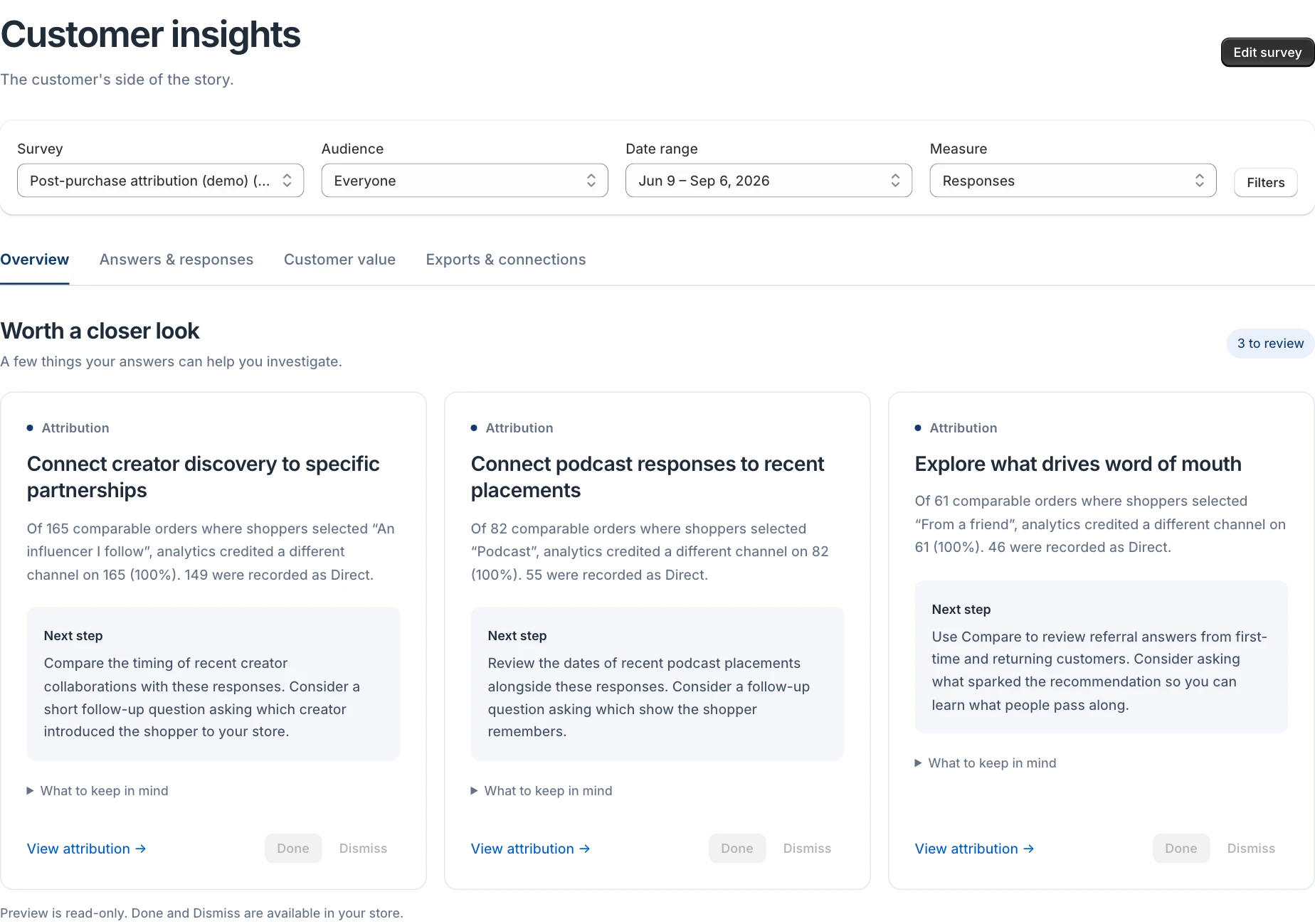
A focused queue of suggestions drawn from your responses.
Open the relevant answers with your survey and dates intact.
Mark a suggestion done or dismiss it. Bring it back with Undo.
A useful question comes first
Start with a goal. Firsthand creates a draft with a question and an audience to match. Make it your own before it meets a shopper.
First-time customers
Ask which channel introduced them to your store. Use their answers to investigate the gaps in your analytics.
Explore attributionCustomers who just bought
Hear about the doubts that survived all the way to checkout. Find a question worth answering on your product page.
Returning customers
Give repeat buyers their own question. Learn whether it was restocking a favorite, trying something new, an offer, or something else.
Explore audiences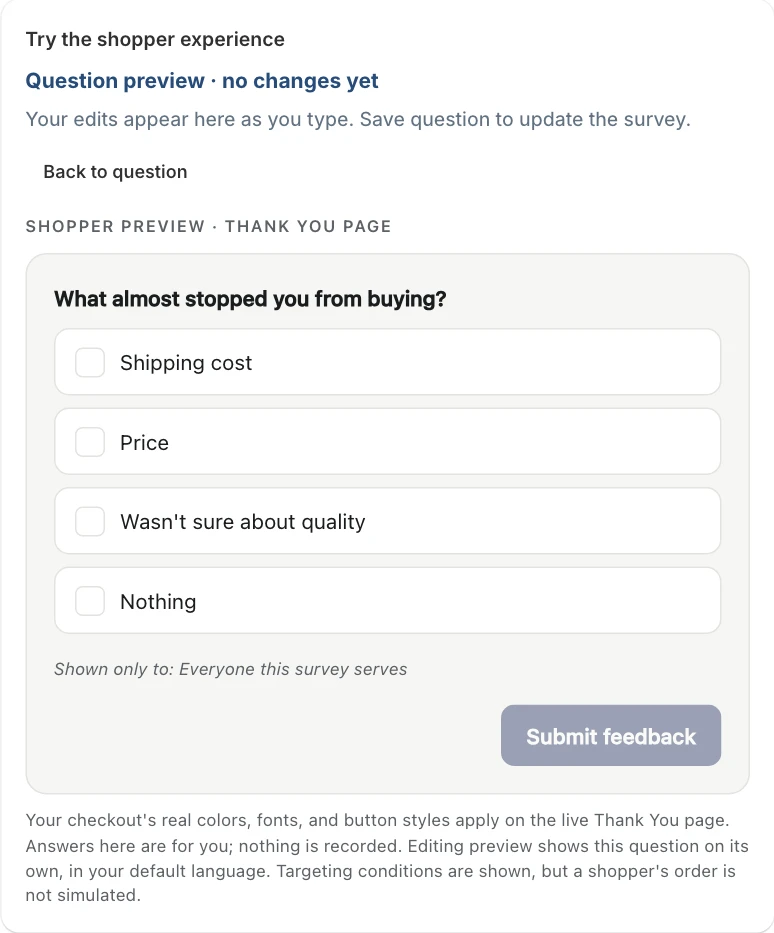
Write and reorder answers, add follow-ups, choose who sees each question, and try the shopper experience beside your edits.
Attribution Reality Check
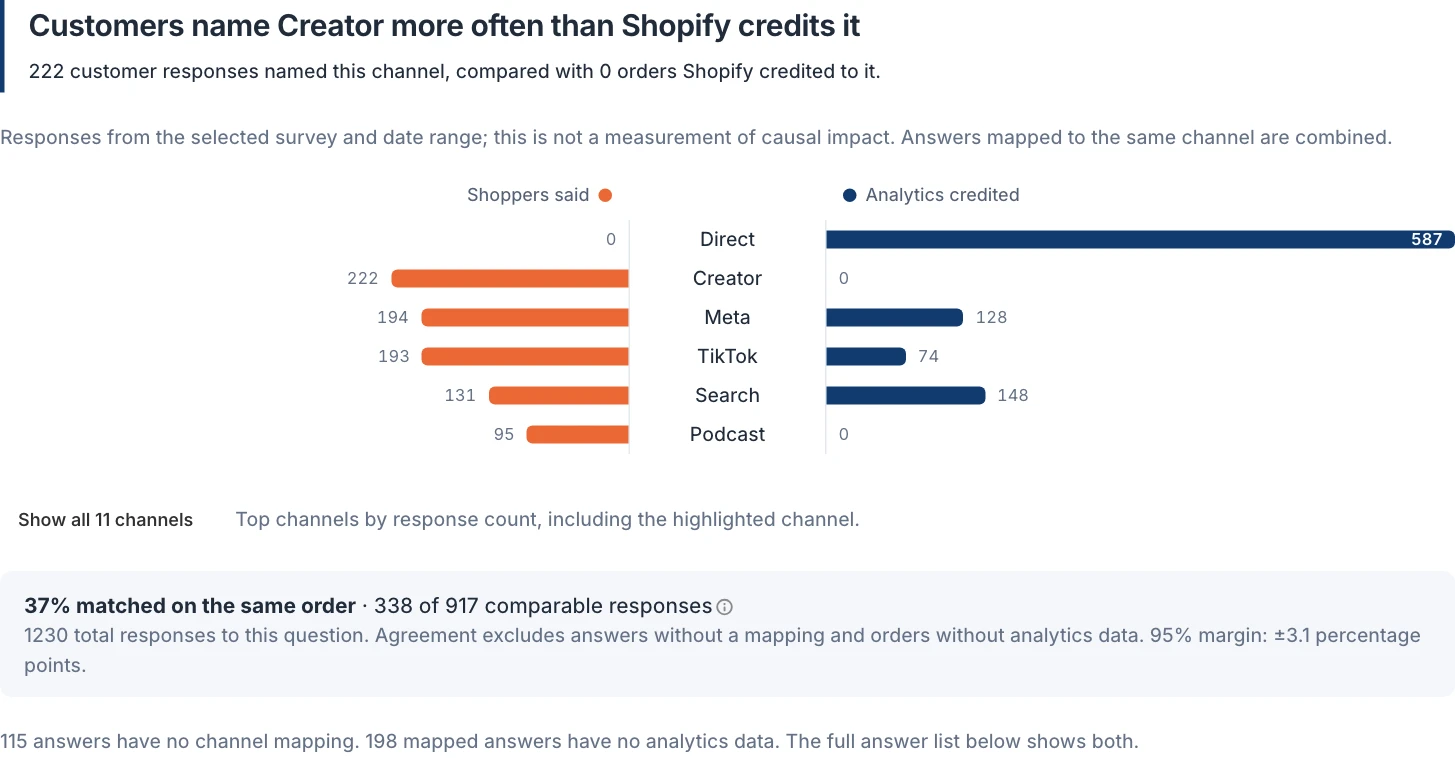
A creator introduces your brand. A shopper comes back through search. Firsthand puts the source they remember beside the channel Shopify recorded for their order, so you can investigate the difference.

Follow an answer through the analytics recorded on those orders. Missing data and unmapped answers stay visible.
See the sample behind a finding. Small samples and uncertain differences are called out in the app.
| Channel | Shoppers said | Analytics credited |
|---|---|---|
| Direct | 0 | 587 |
| Creator | 222 | 0 |
| Meta | 194 | 128 |
| TikTok | 193 | 74 |
| Search | 131 | 148 |
| Podcast | 95 | 0 |
Compare audiences
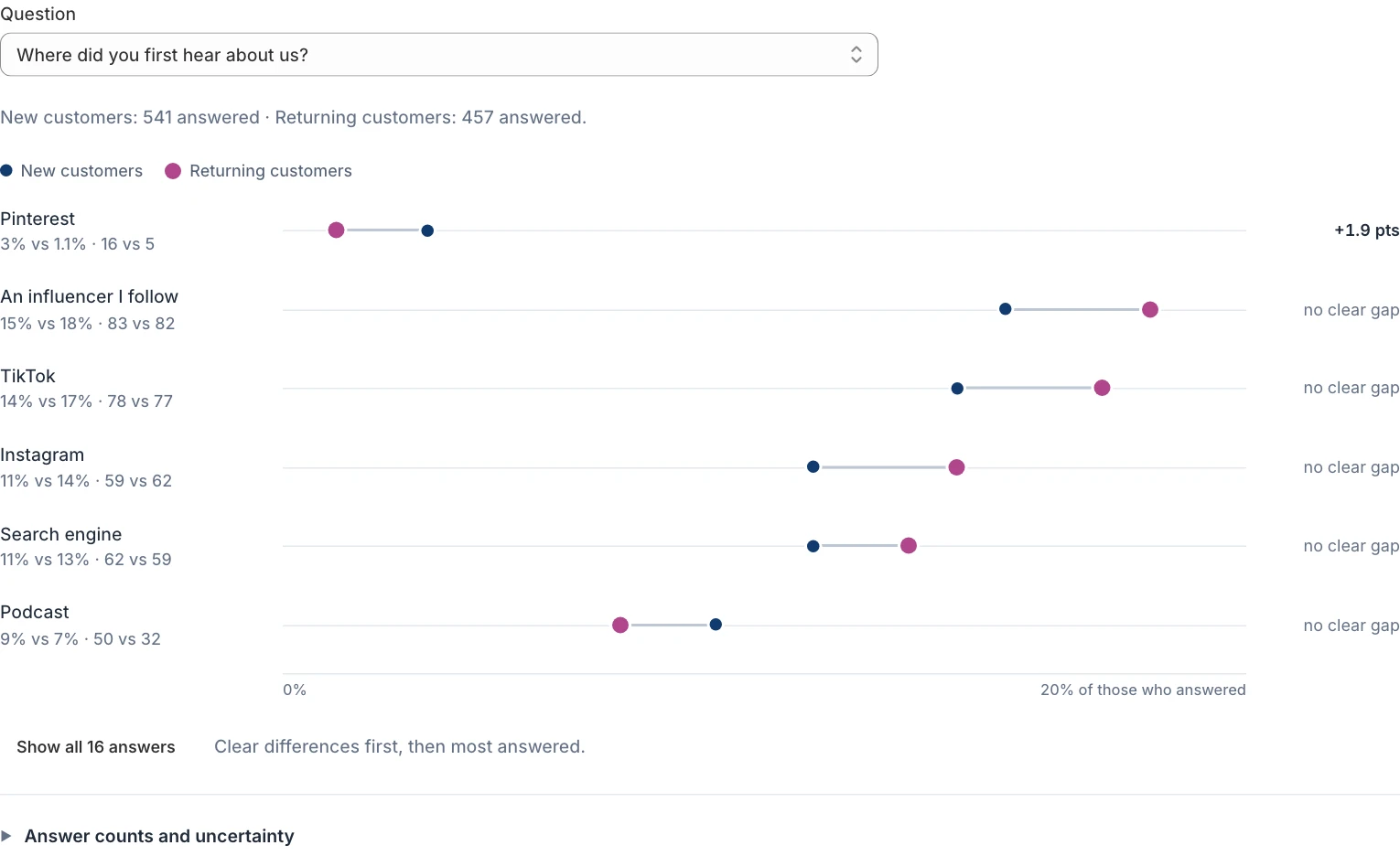
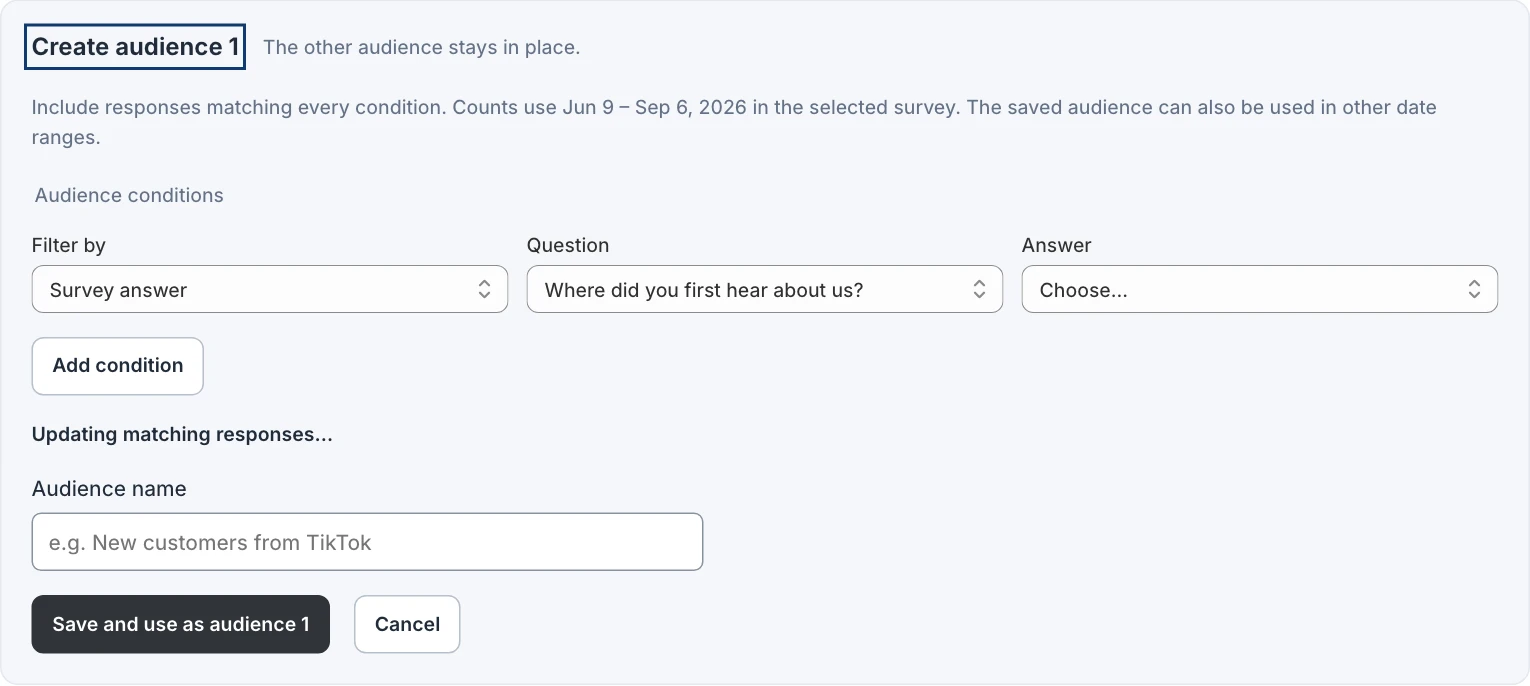
Compare first-time and returning buyers, or build an audience from the filters that matter to you. Create it right inside Compare, check the matching response count, and keep exploring.

Use response, customer, order-value, product, and channel filters. Save the group without losing the other side of your comparison.
The answers belong in your workflow
Return to your connection setup whenever you need it. Firsthand keeps the endpoints, instructions, and key usage details together in Shopify.
Use the read-only MCP endpoint with an assistant or bridge that supports API-key authentication. Explore responses and summaries in your own workflow.
Download CSVs or use the response API. Every feature is included, so getting your own answers out is always part of the product.
Compare equal-length periods, explore seasonal patterns, and get the weekly digest. Pick up the thread without rebuilding your report.
One complete plan
Unlimited responses, every report, and the tools to use your data. Your order volume doesn't set the bill.
Join at the $10 launch price and keep it for as long as you stay subscribed.
Firsthand · Launch price
$10USD / month
Billed through Shopify every 30 days. Cancel anytime.
Already asking good questions?
Import responses from Fairing, KnoCommerce, Grapevine, or a Delighted archive. Review a draft before anything goes live.
See what comes acrossChoose a goal or write your own questions, review the preview, and activate the survey in Firsthand. Add the Firsthand block to your Thank You page in Shopify's checkout editor. The setup checklist helps you check both steps.
It compares what customers remember with the analytics Shopify recorded. That can reveal a useful gap to investigate. Customer recall and analytics both have limits, so Firsthand does not present that comparison as proof of causation.
You can explore the answers as they arrive. Firsthand labels small samples and only calls a comparison a clear difference when it passes the app's sample and uncertainty checks.
The MCP endpoint uses a revocable API key. Your client or bridge must support Streamable HTTP MCP with a Bearer token or custom Authorization header. A client that requires an OAuth sign-in may need a compatible bridge. Setup details remain available under Exports & connections in Firsthand. Any fees for your external AI service are separate.
$10/month. Every feature included.